 SauceCtrl
Git, but pleasant.
SauceCtrl is a free, open-source Git client, now a native Mac app built on Tauri 2. It has a commit graph, staging, diffs, GitHub integration and a built-in terminal, all running on your machine.
Version 0.1.0 · Apple Silicon · macOS 13 or later · 26 MB · MIT license
What's new in 0.1.0
The Mac version is now a Tauri 2 app instead of a Chromium window, and the interface gained themes, resizable panels, tabs and repo discovery.
- Native macOS app
- A Tauri 2 shell written in Rust starts the bundled Bun backend and opens a native WebView. SauceCtrl gets its own window, a Dock icon and a .dmg installer.
- Six themes
- Charcoal, Dark Blue, Forest, Plum, Daylight and Sand. Every text and background pair passes WCAG AA contrast.
- Resizable sidebars
- Drag the project list and the commit details panel to any width. SauceCtrl remembers your layout.
- Tabs
- Each open repository gets a tab. Switching projects takes one click.
- Repo discovery
- SauceCtrl lists every Git repository in a folder, or on the whole Mac, and adds the ones you pick.
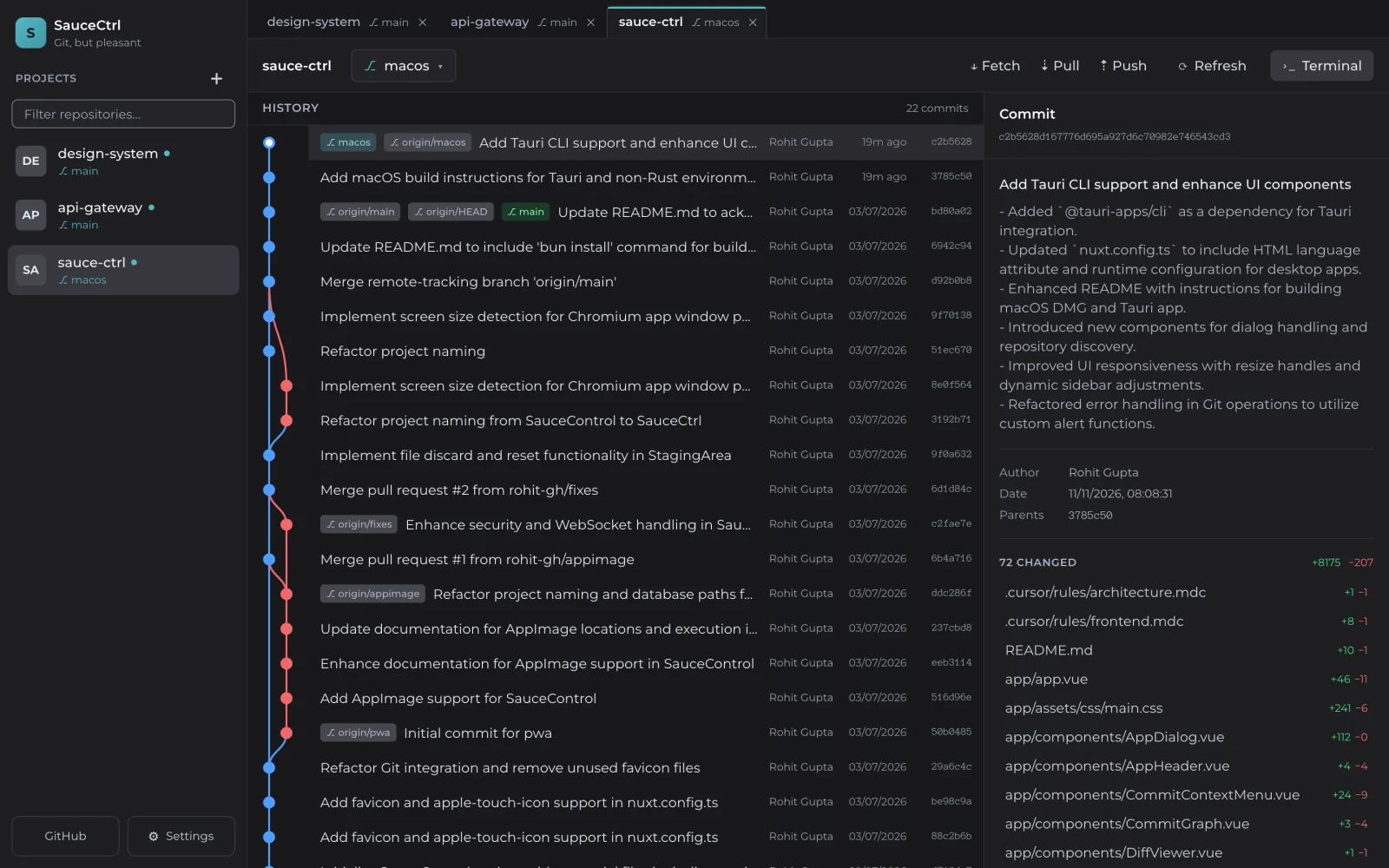
See every branch in one graph
Each branch gets its own lane in the commit graph, and merges show where lanes join. Select a commit to read its message and see which files it changed.
- Branch lanes, nodes and merge edges
- Message, author, date, parents and per-file change stats
- Right-click a commit to create a branch, cherry-pick or reset
- Switch between local and remote branches from the header
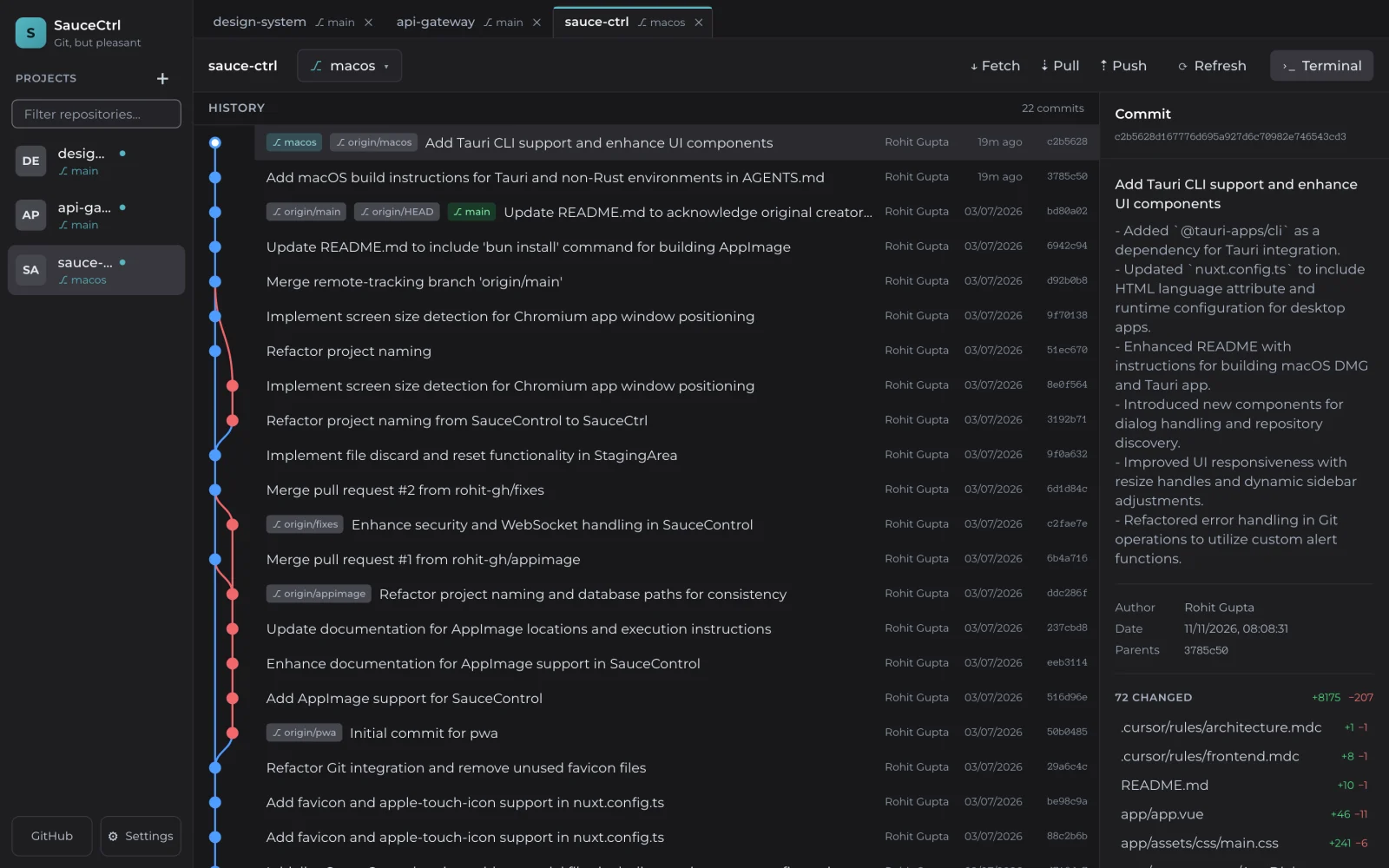
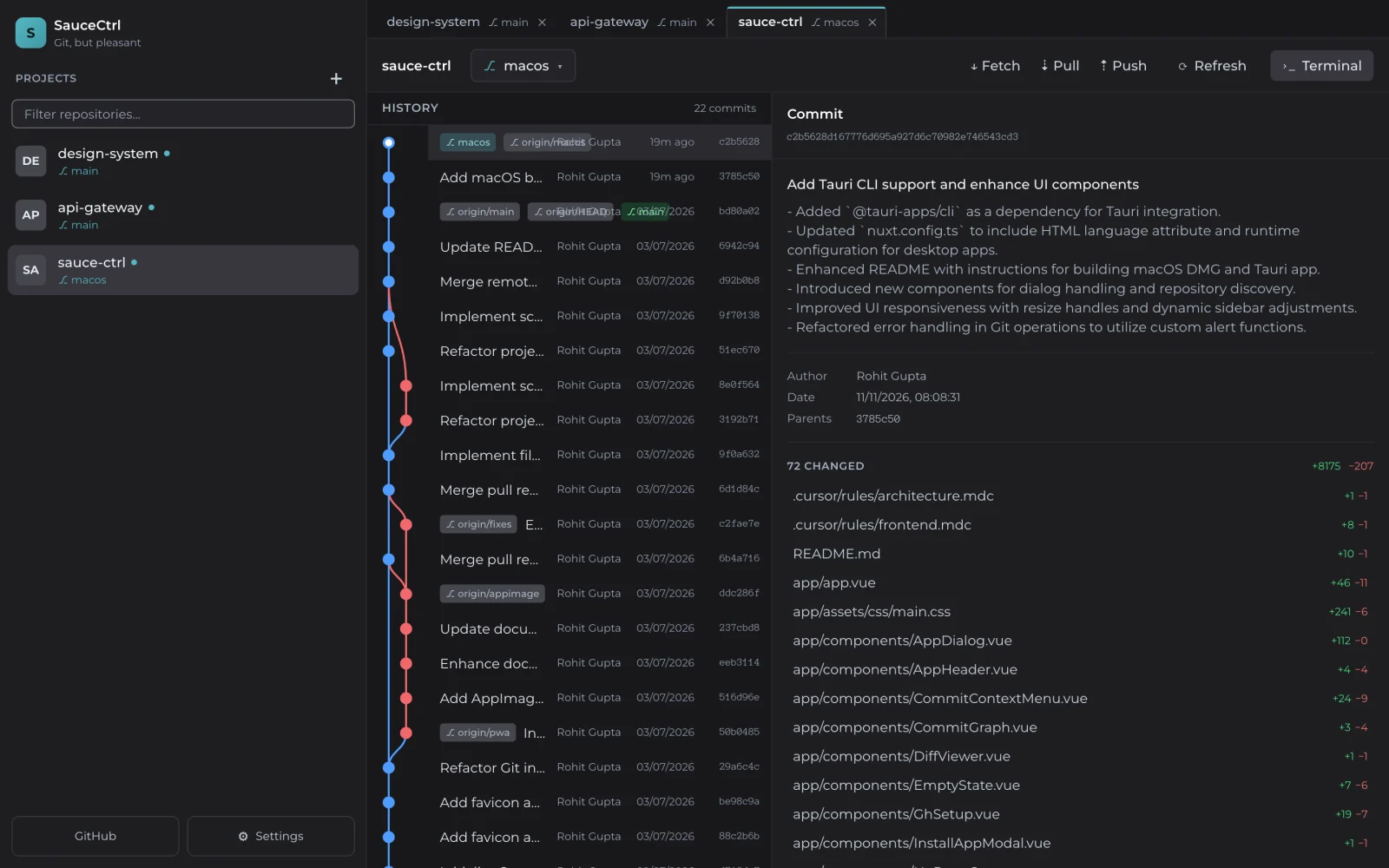
Make room for what you're working on
Both sidebars resize. Narrow the project list to give the graph more space, or widen the details panel to read long commit messages and file lists.
- Project sidebar: 200 to 480 px
- Commit details panel: 300 to 760 px
- The history graph takes whatever space is left
Find your repos and open them in tabs
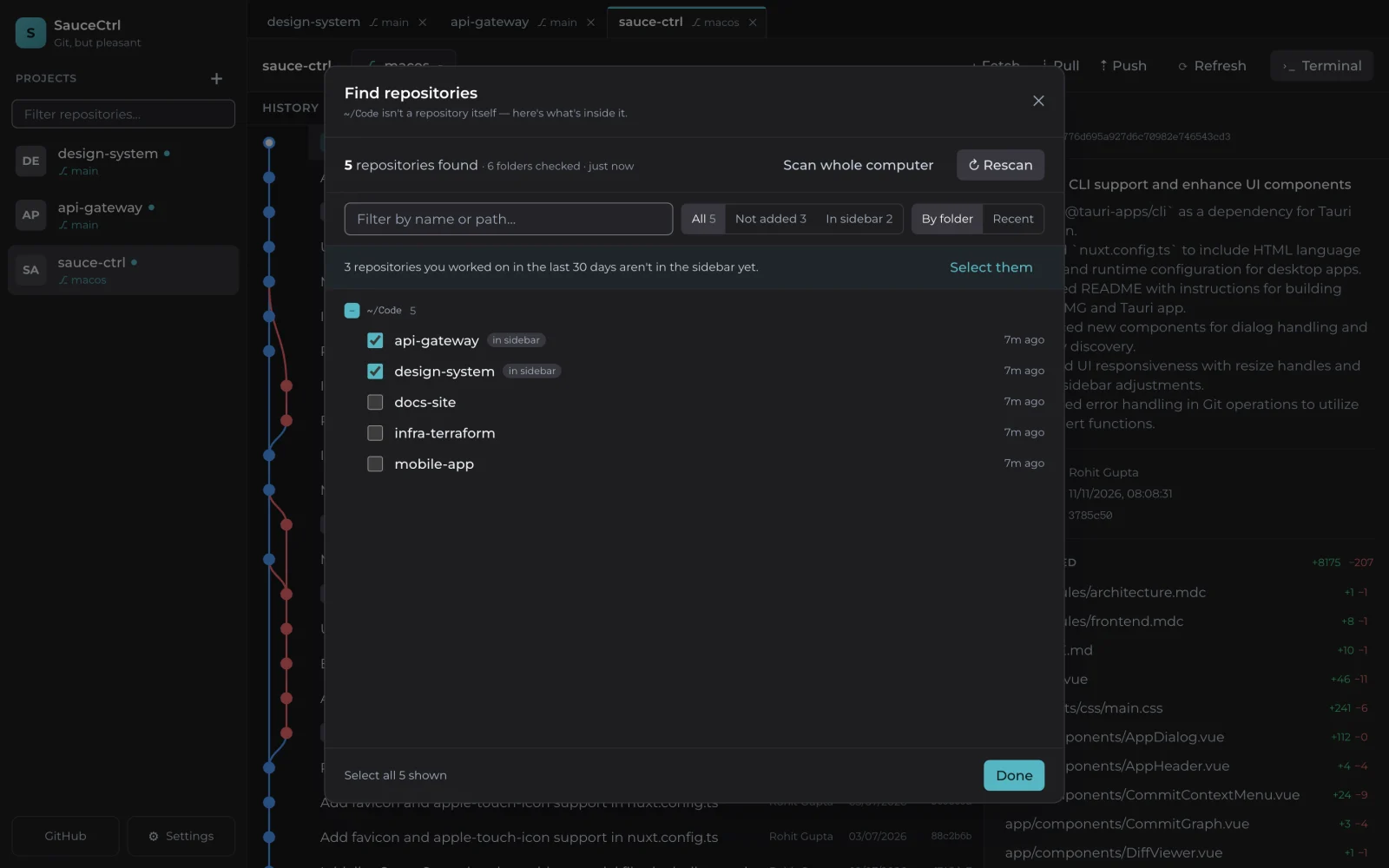
Point SauceCtrl at a folder and it lists every Git repository inside. Tick the ones you want and they appear in the sidebar.
- Scan one folder or your whole Mac
- Filter by name, or select everything you worked on in the last 30 days
- Closing a tab keeps the repo in the sidebar
- Clone repositories straight from GitHub
Six themes, four dark and two light
Every text and background pair passes WCAG AA contrast. Pick one in Settings and SauceCtrl remembers it.
-
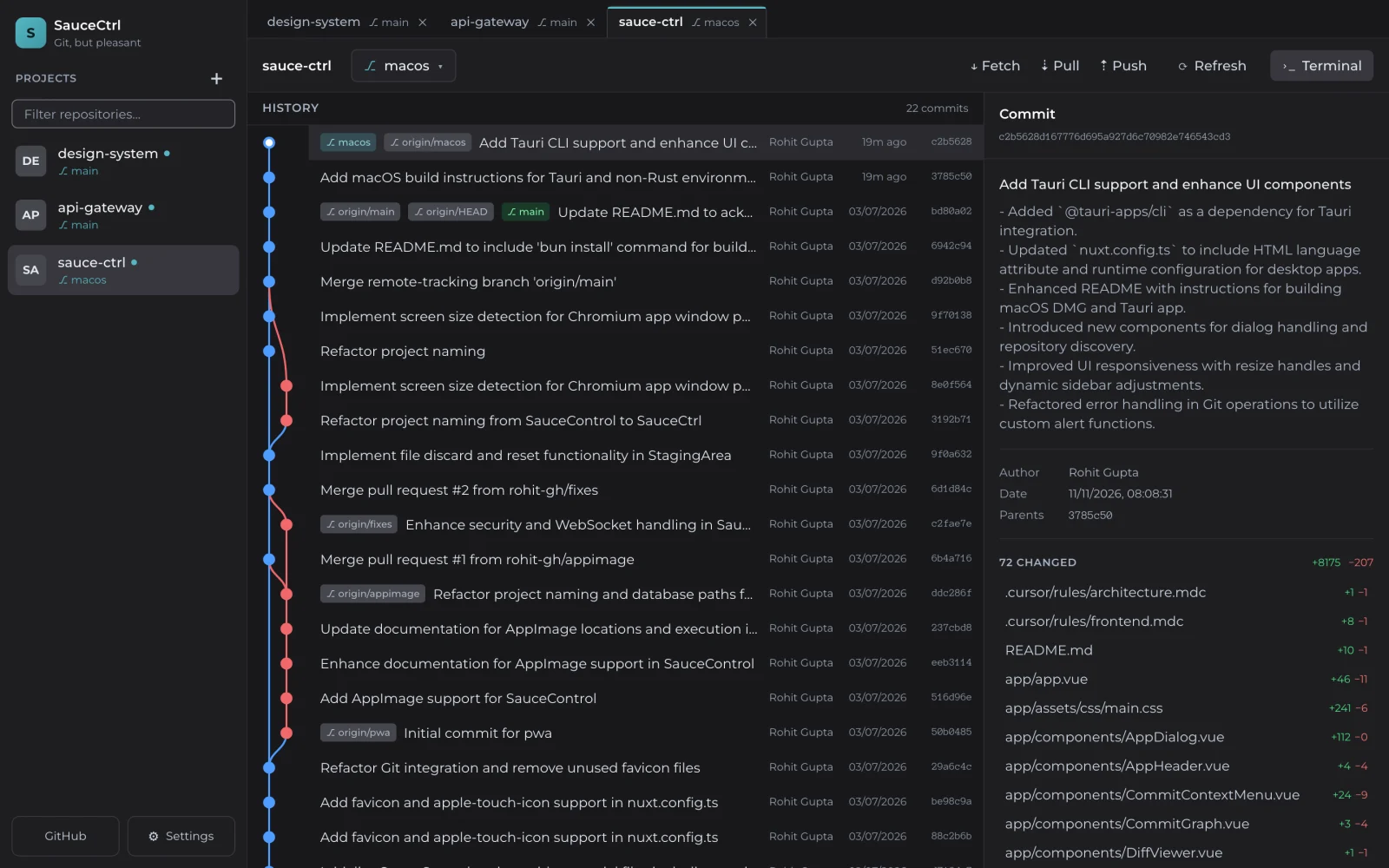 Charcoaldark
-
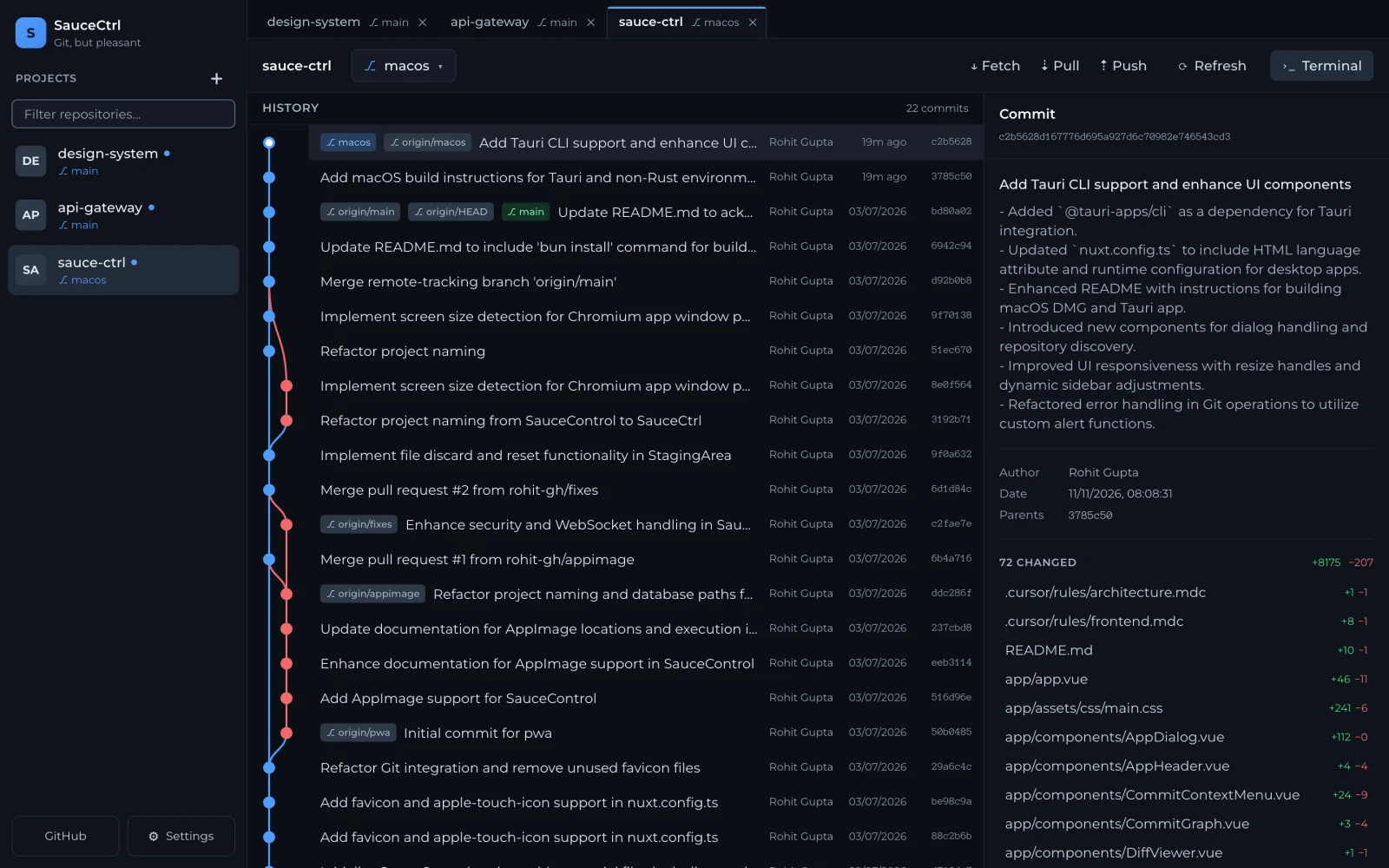 Dark Bluedark
-
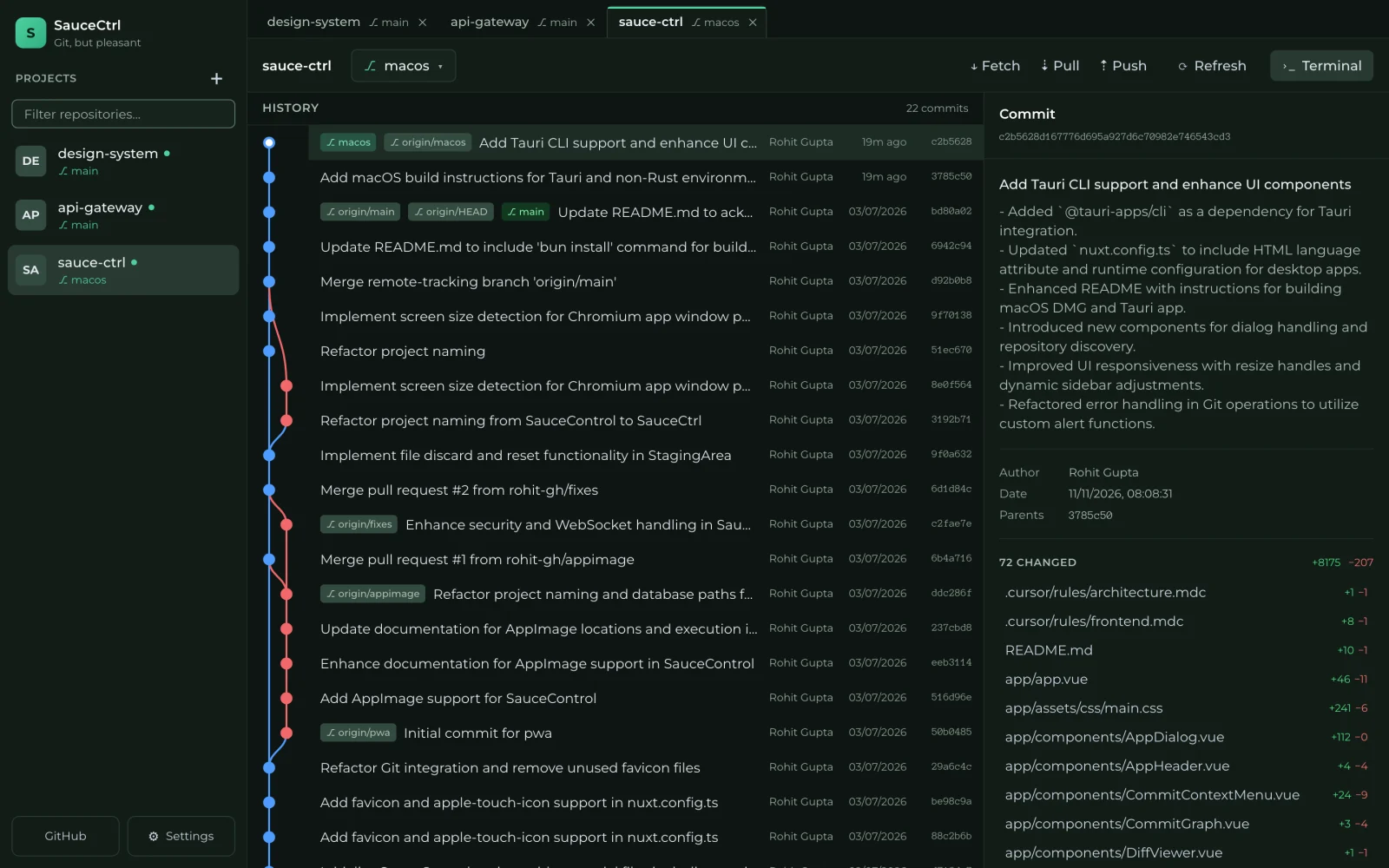 Forestdark
-
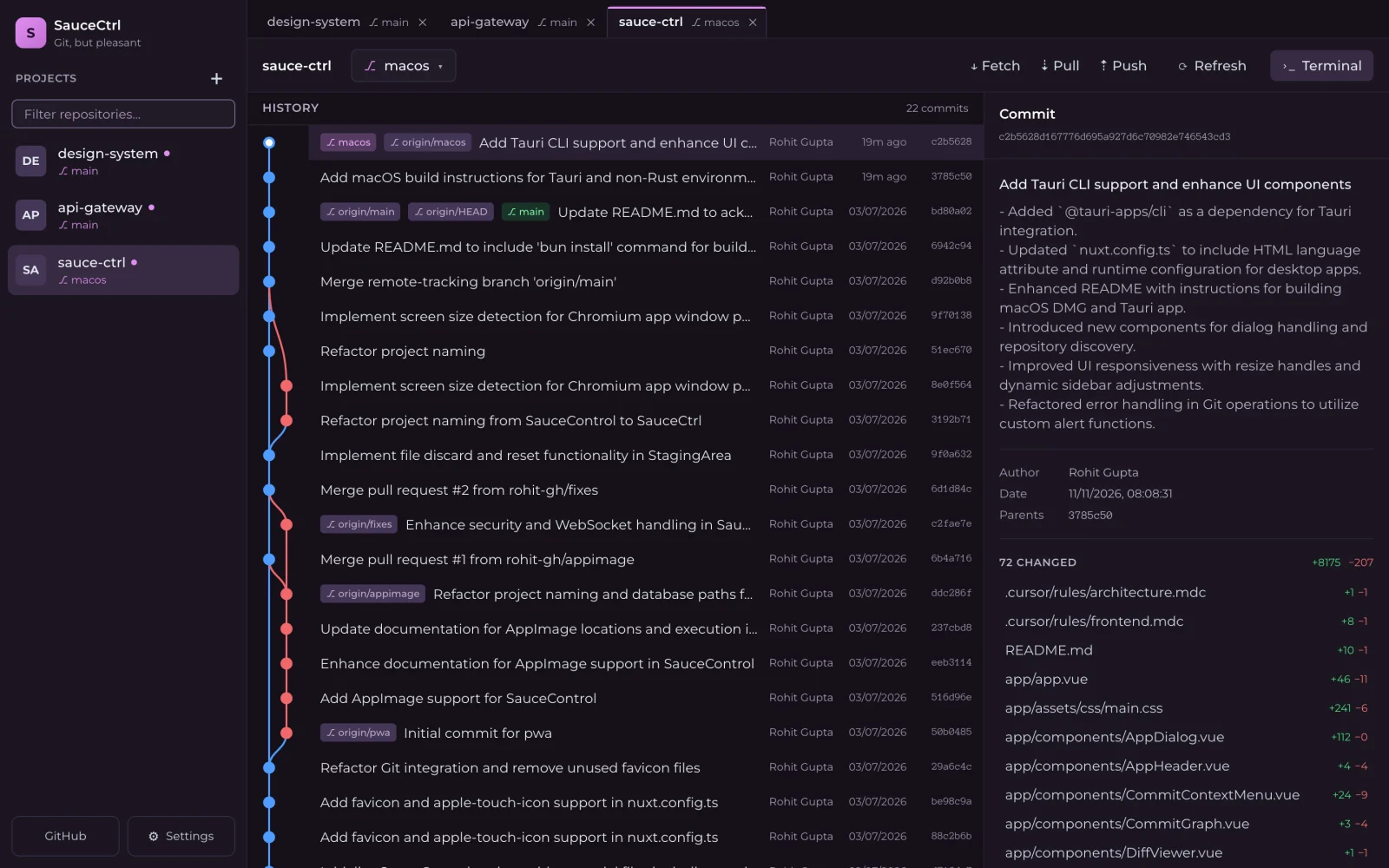 Plumdark
-
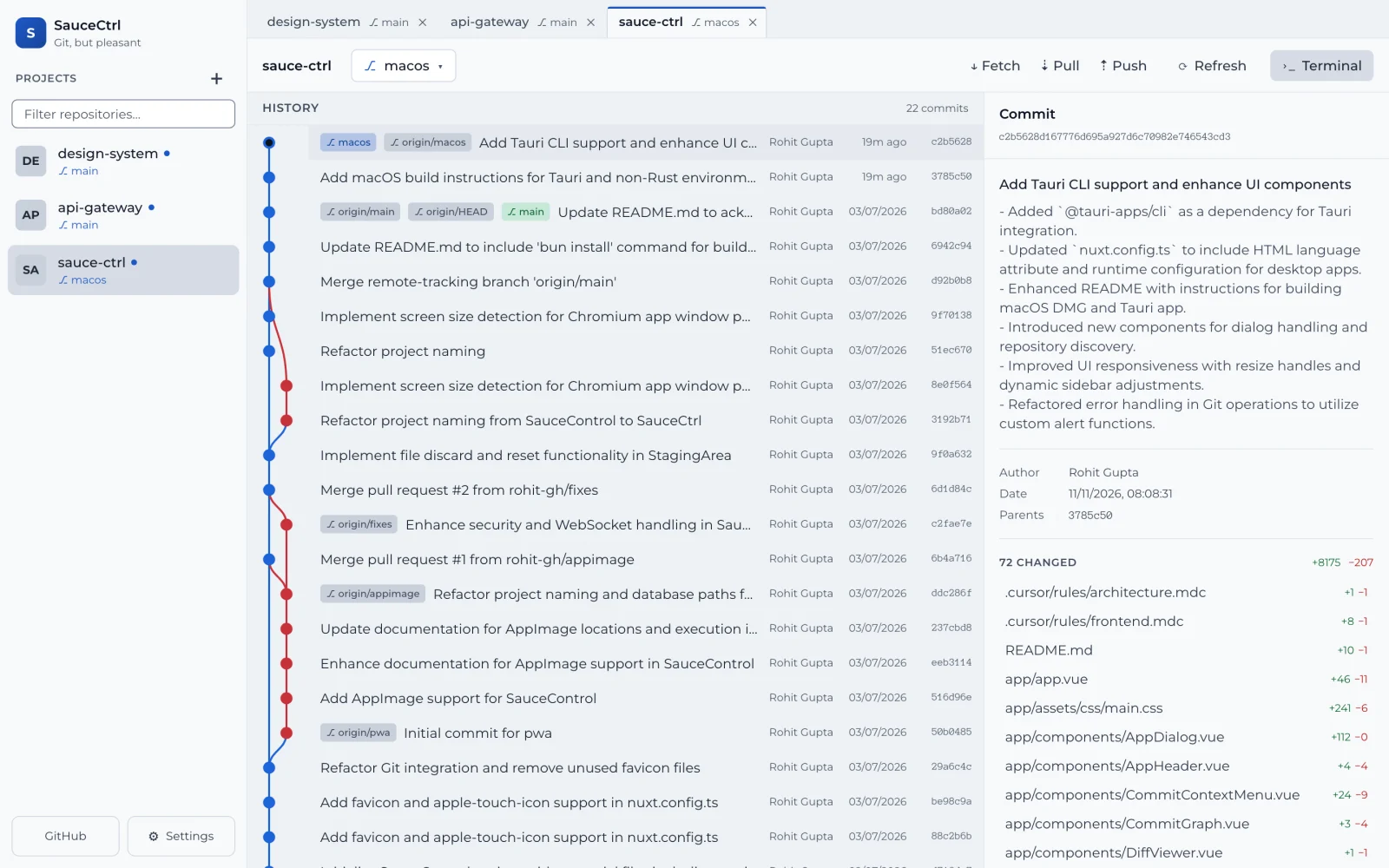 Daylightlight
-
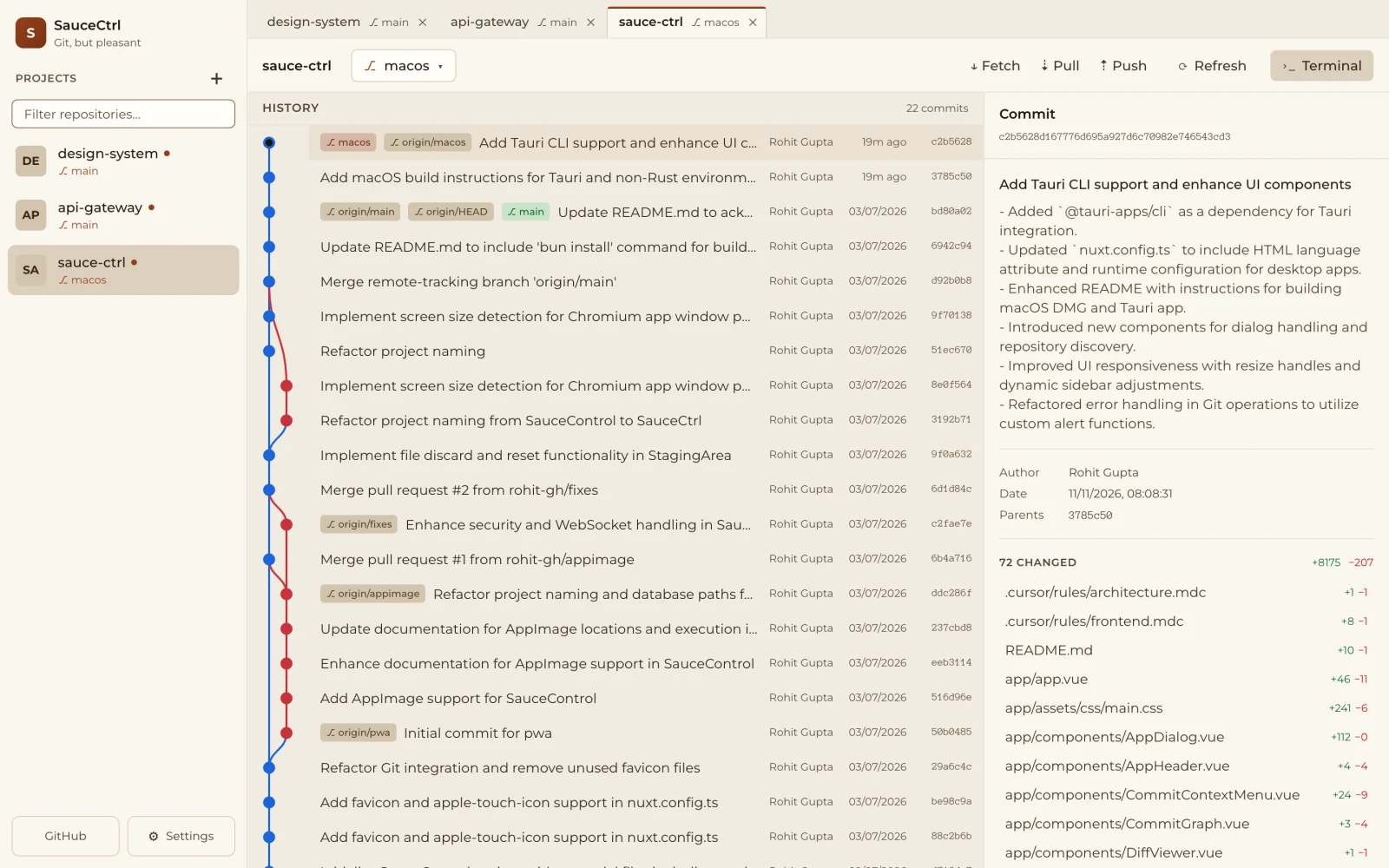 Sandlight
Also in SauceCtrl
- Staging and commits
- Stage and unstage files, discard changes, and commit with a message.
- Diffs
- A line-by-line diff for every changed file, with additions in green and deletions in red.
- Fetch, pull and push
- Each one is a button in the repo header.
- Branches
- Check out local and remote branches, or create a new branch from any commit.
- Built-in terminal
- A real terminal that opens at the repo root, in a panel at the bottom of the window.
- GitHub
- Install and sign in to the GitHub CLI from inside the app, and clone repositories from GitHub.
How it's built
SauceCtrl is a local web app inside a small desktop shell. Everything runs on your own machine.
- Interface
- Nuxt 4 single-page app
- Server
- Nitro on Bun, bound to localhost
- Git
- Your installed
gitCLI, plusghfor GitHub - Desktop
- Tauri 2 (Rust) on macOS, AppImage on Linux
- Terminal
- A real PTY in its own Bun process
- Storage
- SQLite in
~/.sauce-ctrl
Get SauceCtrl
Free and open source under the MIT license.
macOS
Version 0.1.0 · Apple Silicon (M1 or later) · macOS 13 Ventura or later · 26 MB
Download SauceCtrl_0.1.0_aarch64.dmgSHA-256 6dec7082335022ee51016d8fbf35e7a381428fd837b077ff0dcaeec107c2e4a2
Installing
- Open the .dmg and drag SauceCtrl into Applications.
- Allow the first launch. Apple hasn't notarized this build yet, so macOS stops it the first time. Open System Settings → Privacy & Security, scroll down and click Open Anyway. If macOS says the app is damaged, run this once in Terminal instead:
xattr -dr com.apple.quarantine /Applications/SauceCtrl.app - Make sure Git is installed. If it isn't, SauceCtrl offers to install Apple's Command Line Tools for you. The GitHub CLI (
gh) is optional.
Linux
Build a single AppImage that bundles SauceCtrl and the Bun runtime.
git clone https://github.com/rohit-gh/sauce-ctrl.git
cd sauce-ctrl
bun install
bun run build:appimage
The result is release/SauceCtrl-x86_64.AppImage. The build also copies it to your Downloads folder, ready to run.
Intel Mac, or build it yourself
Build the Tauri app from source. It builds for your Mac's architecture and needs Rust.
git clone https://github.com/rohit-gh/sauce-ctrl.git
cd sauce-ctrl
bun install
bun run tauri:build
The .app and .dmg end up in src-tauri/target/release/bundle/. To run in development mode instead, use bun run dev.
Building from source needs
- Bun 1.2 or later (1.3.5 or later on macOS)
- git, plus gh if you want the GitHub features
- Rust (stable), only for the macOS Tauri app
Try SauceCtrl
Download it, open a repo, and see what you think. Ideas, bug reports and pull requests are all welcome.